Screenshot search for Android
Find any screenshot by what’s in it
Memoshot reads the text in your screenshots on your phone, sorts codes, receipts and tickets for you, and suggests the old ones you can safely clear.
Free with ads · Optional one-time Pro · Android 8.0 or later
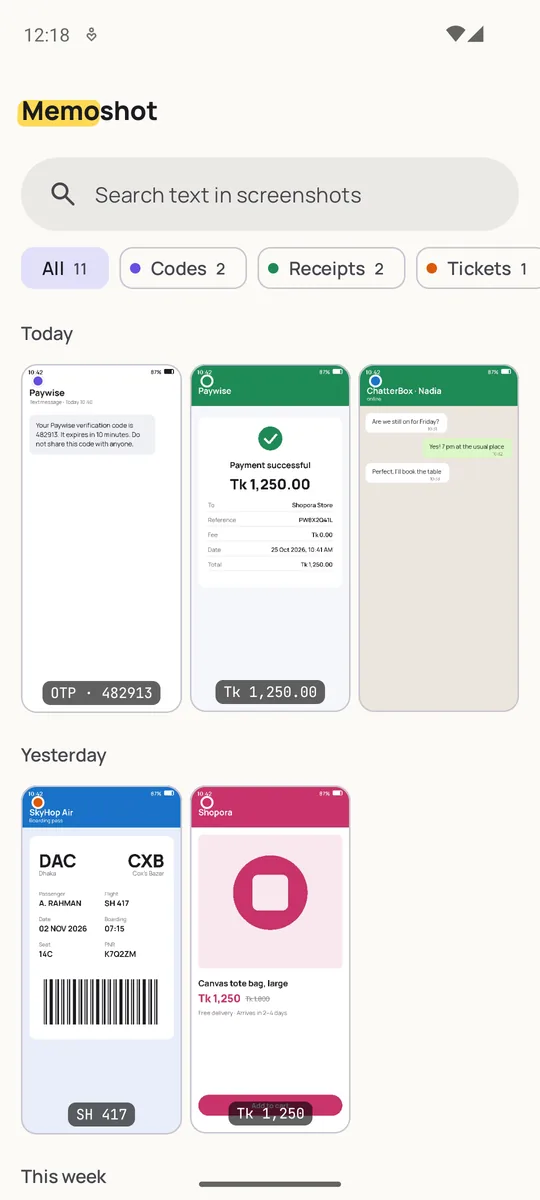
- On-device text recognition
- No account
- Works offline
- Screenshots never uploaded
How it works
Three steps, then it just keeps up
Allow photo access
Give access to all photos, or pick only some on Android 14 and later. Memoshot looks at your screenshot folders.
It reads them on your phone
Text recognition runs on the phone, in the background, a few screenshots at a time. New screenshots are read soon after you take them.
Search, tap, done
Type any word you remember (a code, a shop, a flight) and jump straight to the screenshot, with the match highlighted.
Features
Everything in version 1
Search by text
Finds words inside your screenshots, forgives small reading mistakes, and highlights every match. Filter by category and date.
Sorted automatically
Codes, receipts, tickets, chats and products get their own category. Change any screenshot’s category and your choice sticks.
One-tap actions
Copy a code or an amount, open a link, call a number, write an email or add a date to your calendar, right from the screenshot.
Safe cleanup
Suggests used one-time codes, ended offers, past journeys, duplicates and very old screenshots. Nothing is removed until you confirm.
Trash you can undo
On Android 11 and later, removed screenshots go to the phone’s trash first and can be restored for about 30 days.
App lock
Lock Memoshot with your fingerprint, face or screen lock, and hide its content in the recent-apps view.
Also: favorites, sharing, light and dark themes, and colors that can match your wallpaper.
Categories
Six shelves, filled for you
Codes
One-time passwords, verification and promo codes, Wi-Fi passwords.
Receipts
Payment confirmations, bills and orders, with the amount picked out.
Tickets
Boarding passes, bookings and events, with the travel date.
Chats
Conversations you saved to remember an address, a plan or a promise.
Products
Things you wanted to buy, compare or come back to.
Other
Everything else, still fully searchable by its text.
Privacy at a glance
Your screenshots stay on your phone
Stays on your phone
- Your screenshots and the text read from them
- Categories, codes and amounts found, favorites
- Search history and cleanup choices
- No account, no server of ours, no cloud copy
What uses the internet
- Google’s ad and consent services, in the free version
- Google Play, for buying and restoring Pro
- Google’s text-recognition library sends usage and error statistics to Google, never your images or their text
Screens
A look inside
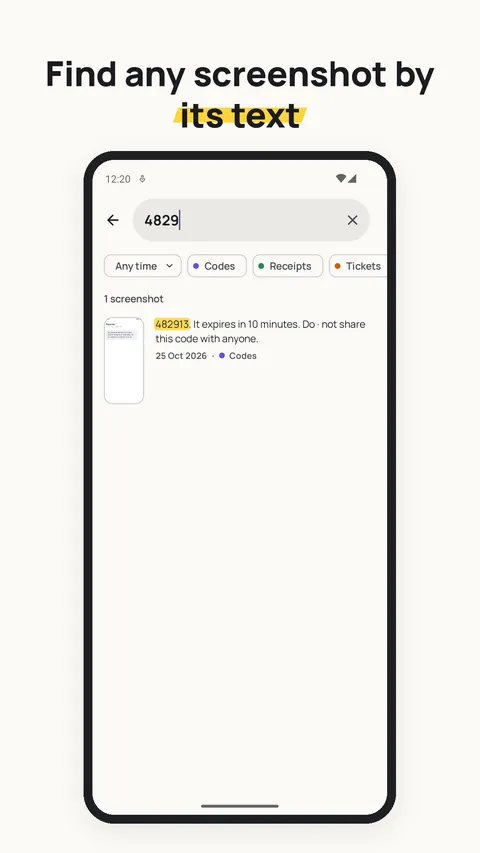
Find any screenshot by its text 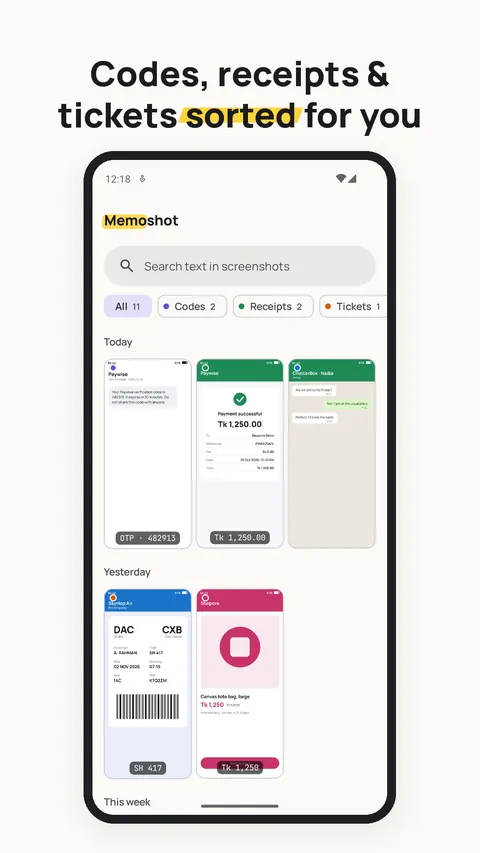
Codes, receipts and tickets sorted for you 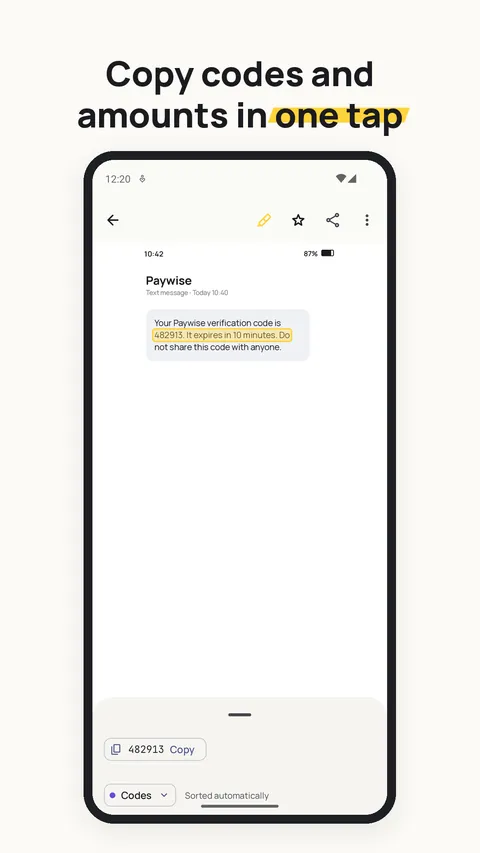
Copy codes and amounts in one tap 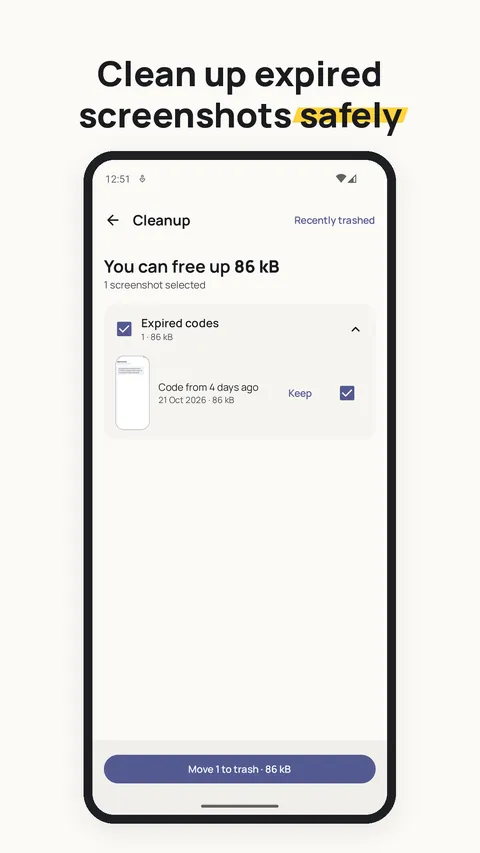
Clean up expired screenshots safely 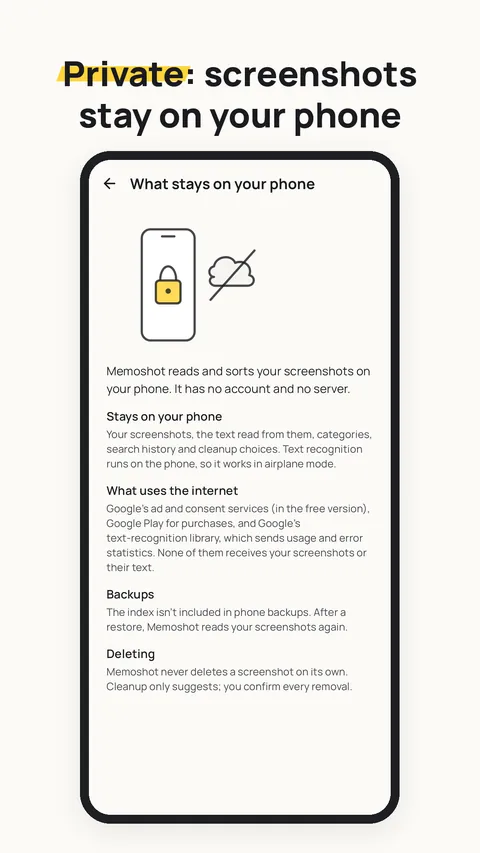
See what stays on your phone 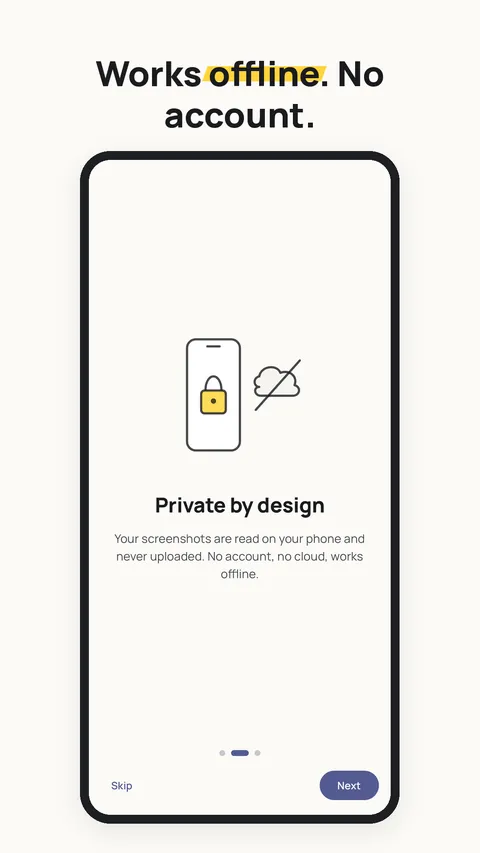
Works offline, no account
Free & Pro
The free app is the whole app
Pro removes ads and adds a few power tools. It’s a one-time purchase through Google Play, with no subscription.
Free
With ads
- Unlimited screenshots, text recognition and search
- Automatic categories and one-tap actions
- Cleanup suggestions, trash and restore
- Select many: share, favorite, move to trash
- App lock, hide in recent apps, themes
Pro
One-time purchase
- Everything in Free
- No ads
- Extra folders to read, beyond your screenshot folders
- Your own cleanup rules for each category
- Export the text of many screenshots as a .txt file
The price is shown in the app and on Google Play; it depends on your country. Pro is tied to your Google account and restores automatically when you reinstall.
Does it work without internet?
Yes. Reading, sorting, search and cleanup all work in airplane mode. The internet is only used for ads and consent in the free version and for Google Play purchases.
Which languages can it read?
Version 1 reads Latin-script text: English and other languages written with the Latin alphabet. Text in other scripts (for example Bangla, Arabic or Chinese) isn’t searchable yet.
Why does it need access to my photos?
Screenshots are stored with your photos, so Android only lets an app read them through photo access. Memoshot only looks at screenshot folders (and folders you add in Pro). On Android 14 and later you can allow only selected photos.
Will it delete my screenshots?
Never on its own. Cleanup only suggests; you confirm every removal. On Android 11 and later, removed screenshots go to the phone’s trash and can be restored for about 30 days, from Memoshot’s “Recently trashed” screen or your gallery app.
Does it drain the battery?
Screenshots are read in small batches in the background, using Android’s battery-friendly job scheduler. If you have hundreds of older screenshots, you can choose to read them only while charging.
Why are there ads, and what about consent?
Ads keep the app free. Where the law requires it (for example in the EEA, the UK and Switzerland), you’re asked for consent first, and you can change your choice any time in Settings → Privacy choices. Pro removes ads.
How do I restore Pro on a new phone?
Install Memoshot with the same Google account. Pro is restored automatically; you can also tap “Restore purchase” on the Pro screen.
Which Android versions are supported?
Android 8.0 and later, on phones. Partial photo access and the trash work on the Android versions that support them.
Do you see my screenshots?
No. Dvexo has no server for Memoshot and never receives your screenshots or their text. There is no account to sign in to.
Stop scrolling for that one screenshot
Free on Google Play. No account needed.